20 Lessons • Free Forever

Master Touch Typing

Progress from beginner to expert with our comprehensive curriculum. Learn proper finger placement, build muscle memory, and boost your speed.

Sign in to Start Learning

Create a free account to access lessons and track your progress

Beginner

Home row fundamentals

Beginner

Home Row Introduction

Learn the home row keys - where your fingers rest naturally.

A S D F J K
Beginner

Home Row Words

Practice typing simple words using only home row keys.

A S D F J K
Beginner

Home Row with G and H

Extend to G and H keys using your index fingers.

A S D F G H
Beginner

Home Row Mastery

Master the complete home row with speed exercises.

A S D F G H
Beginner

Top Row - E and I

Learn the most common vowels E and I on the top row.

E I A S D F
Beginner

Top Row - R and U

Add R and U to expand your reach on the top row.

E R U I A S

Intermediate

Top & bottom rows

Intermediate

Top Row - T and Y

Learn T and Y to complete common letter combinations.

Intermediate

Top Row - Q, W, O, P

Complete the top row with outer keys.

Intermediate

Bottom Row - N and M

Learn N and M on the bottom row.

Intermediate

Bottom Row - B and V

Add B and V keys to your repertoire.

Intermediate

Bottom Row - C and X

Learn C and X keys on the bottom row.

Intermediate

Bottom Row - Z and Complete

Master Z and all bottom row keys.

Advanced

Numbers, punctuation & capitals

Advanced

Number Row - 1 to 5

Learn to type numbers 1 through 5.

Advanced

Number Row - 6 to 0

Complete the number row with 6 through 0.

Advanced

Basic Punctuation

Master periods, commas, and common punctuation.

Advanced

Advanced Punctuation

Learn colons, semicolons, and special characters.

Advanced

Capital Letters

Master the Shift key for capital letters.

Advanced

Mixed Case Fluency

Build speed with mixed capitalization.

Expert

Speed & accuracy mastery

Expert

Speed Building

Push your typing speed with common word patterns.

Expert

Expert Challenge

The ultimate typing challenge with complex text.

Keyboard Reference

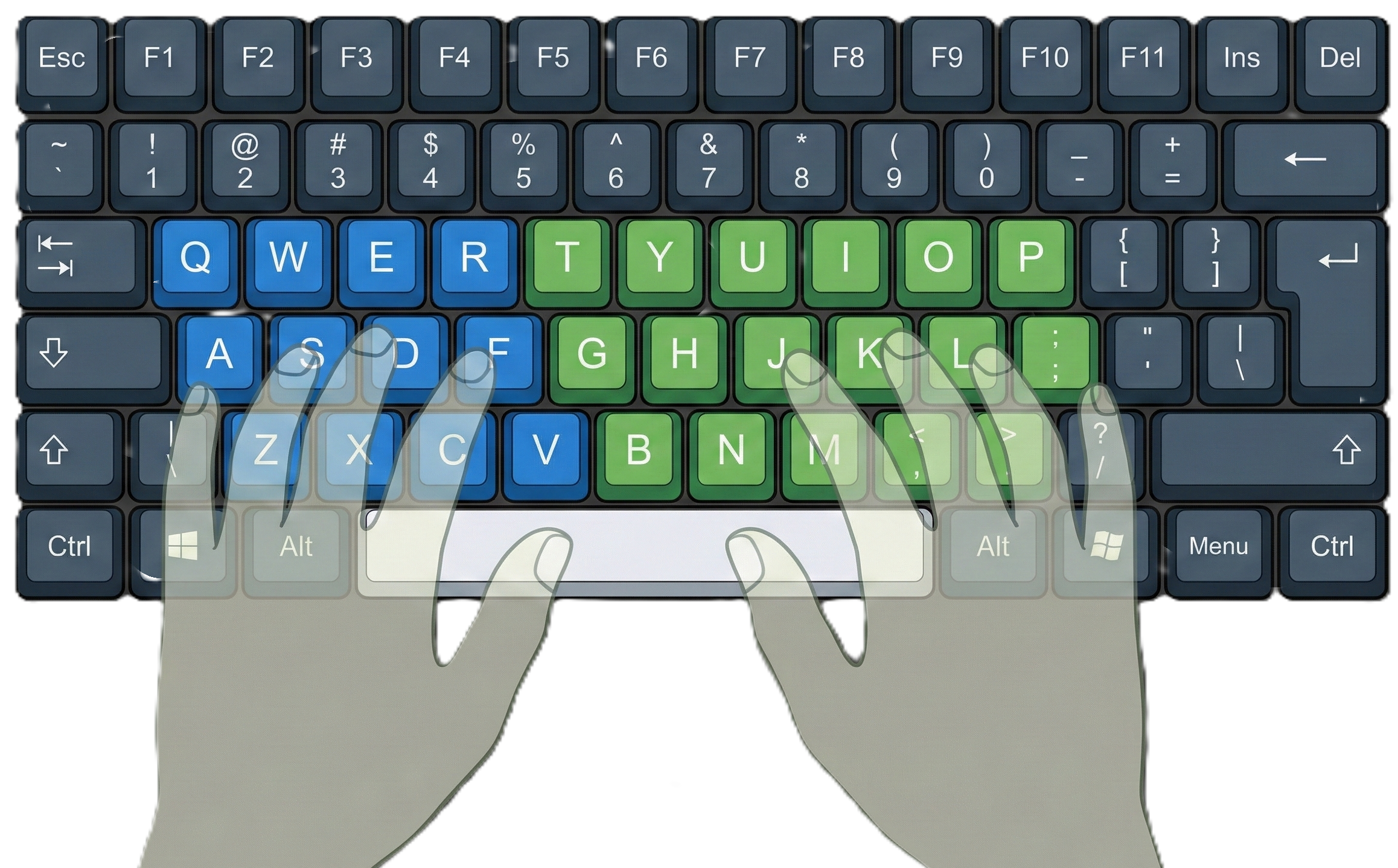
Keyboard Layout

Home position keys (F and J have bumps)